Blog · website
Mobile Website for Roofing Company: What Homeowners Expect on Their Phones
By Nathan Glass · August 22, 2026
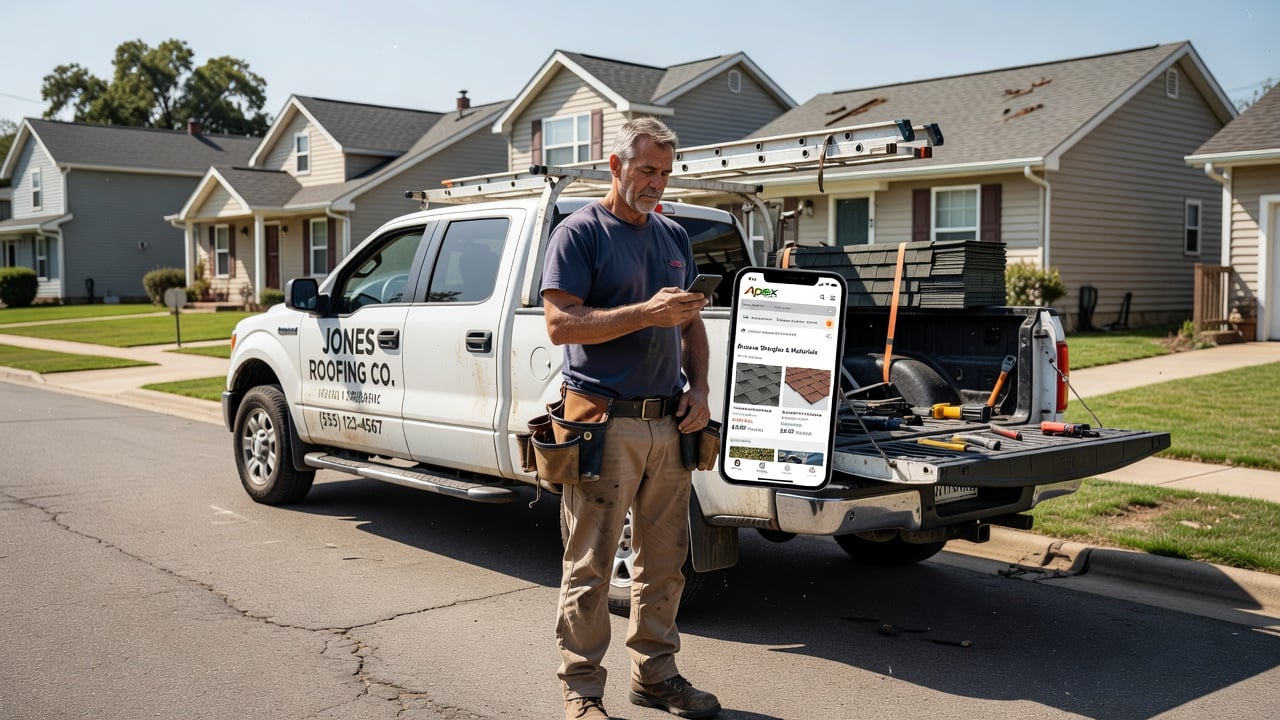
A mobile website for a roofing company must load fast, show clear photos of past work, and let homeowners reach you with one tap. Most homeowners start their search on a phone while standing in the driveway or sitting at the kitchen table, so the experience on that small screen decides whether they call or keep scrolling.
Why Mobile Matters More Than Ever for Roofing Companies
Roofing jobs often start with sudden problems like leaks after a storm. Homeowners open their phones first because they want quick answers about availability, pricing ranges, and whether the company serves their neighborhood. A site that forces them to pinch and zoom or wait for slow images loses the lead before the first conversation happens.
Many roofers still rely on desktop-only designs or thin one-page sites. These pages look fine on a laptop but frustrate mobile users who make up the majority of local searches. When the contact form is hard to tap or the phone number is not clickable, homeowners move to the next result in Google.
Practical roofers treat the mobile site as their main storefront. They make sure every page works on a four-inch screen, photos load quickly, and the call button stays visible while scrolling. This approach turns casual browsers into booked inspections without extra advertising spend.
Check your current site on a real phone during a busy afternoon. Note how long images take to appear and whether the phone number requires two taps to call. Fixing these small friction points often brings more calls than redesigning the entire site.
What Homeowners Expect When Browsing on Their Phones
Homeowners expect large, clear photos of completed roofs taken in their own area. They want to see before-and-after shots that show shingle types, flashing details, and how the crew handles steep pitches. Small or blurry images make them question the quality of the work.
They also look for proof that the company is licensed and insured. A simple license number and insurance statement placed near the top of the mobile page builds immediate trust. Without it, many visitors close the tab and search for a competitor that shows credentials upfront.
Reviews matter on mobile too. Homeowners scroll through recent Google or Facebook reviews while on the site. They want to read comments about punctuality, cleanup, and how the roofer handled unexpected issues. Placing a short list of recent reviews with star ratings on the homepage keeps attention on the page longer.
Expect homeowners to check service area maps on their phones before they fill out any form. Include a simple zip-code list or embedded map that loads quickly so visitors confirm coverage without leaving the page.
Essential Pages and Features for a Roofing Mobile Site
Start with a homepage that answers the main questions in the first screen: service area, roof types handled, and a prominent phone number. Add a services page that breaks down asphalt, metal, tile, and flat roof work with short descriptions and example photos. An about page should include the owner’s story and crew size so homeowners feel they are hiring real people, not a faceless company.
Include a project gallery organized by roof type and neighborhood. Each photo set needs captions that mention the year, materials used, and any special challenges like matching historic shingles. A contact page with a simple form plus the phone number and service area map finishes the core structure.
Navigation must stay simple. Use a hamburger menu that opens to five or six clear choices. Avoid long drop-down lists that are hard to tap on a phone. Keep the footer short with the license number, insurance note, and link back to the homepage.
Build a checklist before launch: test every page on both iOS and Android, confirm all images are under 150 KB after compression, and verify that tap targets for buttons measure at least 48 pixels square. Run the same checklist after every new project photo upload.
Making Lead Forms and Calls Easy on Mobile
Lead forms on mobile need only four fields: name, phone, address, and a short note about the roof issue. Extra fields cause people to abandon the form. Make the phone number a large clickable button that opens the dialer when tapped. This single change often increases calls more than any other tweak.
Place the call button in a sticky bar at the bottom of every page. Homeowners can scroll through photos or read reviews and still reach the phone number without hunting. Test the button on actual phones to confirm it does not overlap content or disappear on certain screen sizes.
Many roofers add a short “text us” option for homeowners who prefer messaging. A simple text link that opens the messaging app works well and captures leads who are busy during the day but check their phones at night.
Keep form labels above each field so they remain visible while typing. Use auto-complete where possible for address fields and limit the note field to three lines to avoid keyboard obstruction on smaller screens.
Avoiding Common Pitfalls in Mobile Design for Roofers
One frequent mistake is using stock photos instead of real job pictures. Homeowners recognize generic images and lose trust quickly. Another issue is hiding the service area. If the site does not clearly state which zip codes are covered, visitors assume the company is too far away and leave.
Heavy animations or auto-playing videos slow the page and drain data. Keep the design clean with fast-loading images compressed for mobile. Test load speed on a typical phone connection before publishing any new page.
Finally, avoid long paragraphs of text. Break content into short blocks with bold subheadings so readers can scan while holding the phone in one hand. Bullet lists work better than dense blocks when someone is checking the site between other tasks.
Run a monthly mobile audit: open the site on your own phone with Wi-Fi turned off, time how long the homepage takes to load, and ask one recent customer to complete the contact form while you watch. Note every point where they hesitate or zoom.
How Mobile Optimization Supports Local SEO
Google favors sites that load quickly and work well on mobile devices. A roofing company with a responsive site earns better placement in local map packs because the algorithm sees fewer frustrated visitors who bounce away. Fast load times also improve the experience for homeowners searching “roof repair near me” on the go.
Proper heading structure and image alt text help search engines understand the content. Label photos with specific details such as “asphalt shingle roof replacement in Maplewood 2024” rather than generic file names. This practice helps the site appear for neighborhood-specific searches that drive high-intent leads.
For a broader look at building sites that rank locally, see our website for local service businesses complete guide. The same principles apply whether the focus is roofing, plumbing, or HVAC.
Submit an updated sitemap after any mobile redesign and verify that all pages return a 200 status on mobile crawlers. Consistent mobile performance signals help maintain visibility when competitors update their own sites.
Building or Updating Your Site Without the Hassle
Many roofers avoid updating their site because they fear the time and cost of hiring an agency or wrestling with WordPress. Purpose-built platforms designed for local service businesses remove much of that friction by providing ready templates that already include mobile-friendly layouts, lead forms, and local SEO structure.
Agency work often delivers polished visuals but can overlook conversion details like one-tap calling and simple forms that roofers need most. DIY builders give full control yet frequently produce thin pages missing trust signals and proper mobile spacing. Purpose-built options sit in the middle by supplying trade-specific pages that already meet mobile standards while letting owners add their own photos and reviews.
You can start a free website at https://augenix.ai/build and have a multi-page mobile site ready in hours rather than weeks. The platform handles the technical side so you can focus on adding your own photos, reviews, and service details.
Once the site is live, continue to add new project photos after each completed job. Fresh content signals to both homeowners and search engines that the company remains active. Review the mobile experience every few months by opening the site on your own phone and asking a few customers for feedback on what feels easy or confusing.
Frequently asked questions
- How fast should a roofing website load on mobile?
- Aim for under three seconds on a typical phone connection. Compress images to 150 KB or less and test on both Wi-Fi and mobile data.
- What size should call-to-action buttons be on a mobile site?
- Make every tap target at least 48 pixels square with clear spacing so homeowners can tap accurately without zooming.
- Should I include a service area map on the mobile homepage?
- Yes. A simple map or zip-code list helps visitors confirm coverage immediately and reduces bounce rates from out-of-area searches.
- How many fields should a mobile lead form have?
- Limit the form to four fields: name, phone, address, and a short note. Extra fields increase abandonment on small screens.
- Do I need separate desktop and mobile versions of my site?
- No. A single responsive design that adapts to any screen size is simpler to maintain and performs better for local SEO.
Ready for a professional website?
Get a multi-page site built for local service businesses — free to start.
Build free website