Blog · website
Website for Local Service Businesses: Complete Guide
By Nathan Glass · August 8, 2026
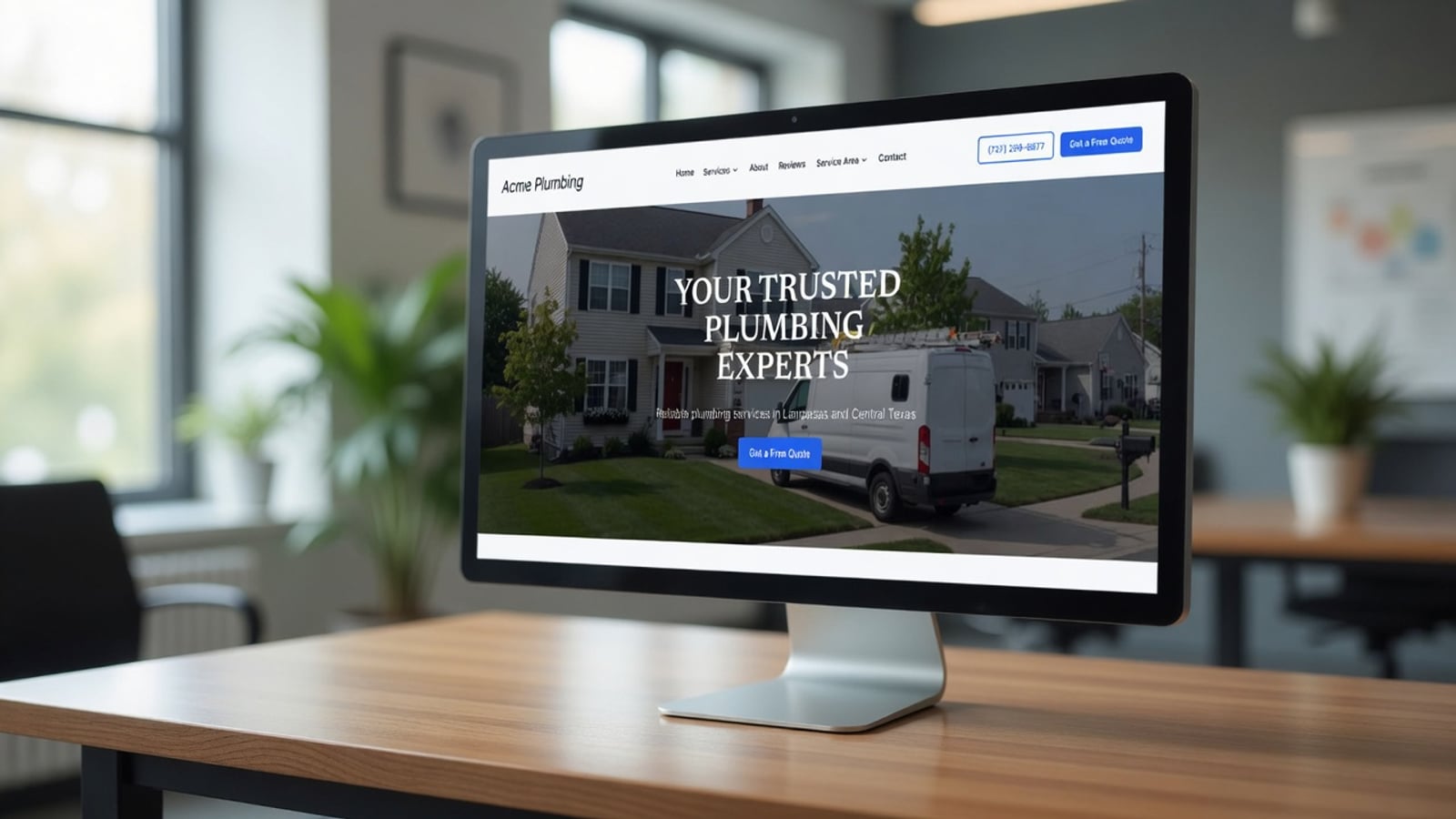
A website for local service businesses is the digital storefront that turns nearby searches into booked jobs. Done right, it shows what you do, proves you are trustworthy, makes it easy to call or request a quote, and supports local SEO so customers in your area can find you. This complete guide walks through why you need a site, what to put on it, how local SEO works, whether to hire an agency, how DIY builders compare, and how to launch without wasting months.
Whether you run plumbing, HVAC, electrical, landscaping, roofing, cleaning, or another home service trade, the goals are the same: look professional, load fast on phones, capture leads, and rank for the work you want. Use the sections below as a checklist you can revisit as your business grows.
1. Why does a local service business need a website?
Customers still call from Google, but many check your website before they dial. They want to confirm you serve their area, see what services you offer, glance at reviews or photos of past work, and feel that you are a real, established company—not a flyer on a telephone pole.
A Google Business Profile is essential, but it is not a substitute for a site. Profiles have limited space for services, process, financing notes, brands you work with, and the stories that build trust. A website gives you room to answer objections, list every service clearly, and send people to a form or click-to-call when they are ready.
Without a site—or with a thin one-pager—you often look less established than competitors who show up with clear service pages and proof. For one-truck operators and multi-crew shops alike, the website is where first impressions and follow-up begin.
2. What should a service business website include?
Start with the pages local buyers expect. Most strong trade sites include Home, Services (with individual service pages when you offer distinct jobs), Service Area, About, Reviews or Proof, and Contact. Many also add FAQs, financing or insurance notes, and a simple blog for local tips—only if you will keep it useful.
On every key page, make contact effortless: a visible phone number, click-to-call on mobile, and a short form (name, phone, service needed, preferred time). Put your primary service cities in natural language—not keyword stuffing. Show real photos of your team, trucks, and completed jobs when you have them; generic stock photos without context undercut trust.
Navigation should stay short. Visitors in a hurry should reach a quote request in one or two taps. Speed and mobile layout matter as much as pretty design: if the form is hard to use on a phone in a driveway, you lose the lead.
- Core services listed in plain language
- Service area / towns you cover
- Trust: reviews, ratings, licenses, insurance notes
- Proof: job photos, before/after when available
- Clear CTAs: call and request estimate
- NAP consistency (name, phone, address or service area) across pages
3. How local SEO and Google visibility actually work
Local SEO is how you show up when someone searches “plumber near me,” “HVAC repair [city],” or similar. It combines your Google Business Profile, on-site content, reviews, and consistent business information across the web. Your website supports this by matching the language customers use and by giving Google clear pages for each major service and area you care about.
Practical steps: keep name, phone, and address (or service-area wording) consistent everywhere. Link to your Google Business Profile. Create service pages that describe real jobs you want—not vague marketing fluff. Mention neighborhoods and towns you serve in a natural way on a service-area page. Make sure the site loads quickly and works on mobile, because Google uses that as a quality signal.
You do not need to become an SEO specialist overnight. You do need a site structure that search engines can understand: clean URLs, real headings, unique content per service, and pages that answer intent. Platforms built for local service businesses often bake that structure in so you are not starting from a blank theme.
4. Should I hire an agency to build my website?
Hiring a web agency can be the right move for some shops—and the wrong one for others. It helps to separate design polish from local-service conversion.
Pros of an agency: A good agency runs a thorough process. You often get strong visual design, a custom logo or brand package, and a polished UI. If you need a highly bespoke look for a large multi-location brand, that depth can be worth it.
Cons of an agency for local service work: Agencies often optimize for “pretty.” Local service sites win by making it ridiculously easy to take the next step and by earning trust. That means reviews, trust signals, proof of work, simple service lists, and minimal clutter—not a portfolio of animated effects. Many agencies underweight those needs. They may also charge agency rates for builds and ongoing changes that a trade owner only needs a few times a year.
If you hire an agency, brief them like a customer: “Phone in the header, form above the fold on mobile, service pages for our top jobs, reviews block, photos of our work, towns we serve.” If they push only aesthetics, push back. The goal is booked jobs, not design awards.
5. DIY website builders (GoDaddy, Weebly, Wix, and similar)
Do-it-yourself builders are easy to start. Templates look fine at first glance, drag-and-drop feels empowering, and monthly costs can look low. For a hobby project that is enough. For a plumbing or HVAC company competing on Google, it often is not.
The common failure mode is a single long page with sparse content, stock photos, and no clear service structure. Owners who are not sure what to put on the site leave out trust, proof, and service-area detail. The result is a site that exists but does not rank and does not convert well—while competitors with multi-page, service-focused sites win the calls.
DIY tools also leave SEO and conversion best practices on you. If you do not already know how to structure a local service site, you will spend nights tinkering instead of running jobs. Contrast that with a platform that already applies trade-focused structure: multiple pages, lead capture, and SEO-oriented setup so you are not inventing the wheel after a ten-hour day in the field.
6. What “good” looks like for a trade website (including Augenix)
A strong local service website is multi-page, mobile-first, and honest. It answers “Do you do my job in my town?” quickly. It shows proof. It makes contact easy. It supports Google with clear structure instead of one thin page.
Augenix is built around those best practices for local service businesses. Instead of a blank DIY canvas, you get a full-featured site—typically eight or more pages—with SEO-oriented structure and lead capture aimed at trades. You can start a free website build when you are ready; the point of this guide is to know what “done right” looks like whether you use Augenix or not.
Judge any option—agency, DIY, or platform—against the same checklist: pages for services, trust, proof, speed, mobile forms, and local relevance. Pretty alone is not enough.
7. Lead capture and follow-up basics
A website that cannot capture a lead is a brochure. Use short forms and click-to-call. Ask only what you need to call someone back. Route new form submissions to a phone, text, or simple inbox you actually watch—including evenings and weekends if that is when homeowners research repairs.
After the form submits, confirm that you received it. Then follow up fast. Many jobs are won by the first professional who responds like a human. Keep notes on where the lead came from (website form, Google call, referral) so you know what is working.
As volume grows, a simple lead board beats a messy text thread. The tools can stay simple; the habit of fast response cannot.
8. Trust signals that convert service buyers
Homeowners hire people they trust with their house and their money. Reviews, star ratings, license and insurance mentions, years in business, and photos of real jobs all help. So does a clear, uncluttered layout—too many popups and banners feel desperate.
Use real reviews with permission. Show the kinds of jobs you want more of. Avoid fake counters or invented awards. Specificity beats hype: “Drain clearing and water heater installs in [metro area]” is more credible than “#1 best plumbers in the universe.”
9. Launch checklist and common mistakes
Before you call a site “live,” verify: phone and form work on mobile; service pages exist for top jobs; service area is clear; NAP matches your Google profile; homepage states what you do above the fold; page speed is acceptable; and someone owns lead follow-up.
Common mistakes: one-page DIY with no substance; burying the phone number; only stock photos; ignoring mobile; buying an expensive redesign that never asks for the job; and never measuring which pages or calls convert. Fix those before you obsess over fancy animations.
11. Budget, timeline, and who should own the site
Budget ranges vary widely. A polished custom agency build can run into the thousands or tens of thousands once design, copy, photography, and revisions are included. DIY builders look cheap monthly until you count your evenings and the jobs you did not win because the site never ranked. Purpose-built platforms often sit in the middle: faster than custom, more complete than a blank template.
Timeline matters more than perfection. A clear multi-page site that collects leads this month beats a six-month redesign that never launches. Ship a solid version, then improve photos, reviews, and service pages as you go. Assign one owner—often the owner-operator or office manager—to approve content and watch new leads so the project does not stall.
Also decide who updates prices, seasonal offers, and new services. If only a developer can change a phone number, you will fall behind. Prefer setups where everyday edits do not require a ticket for every comma.
12. Next steps you can take this week
Audit your current presence in one sitting: Google Business Profile completeness, website mobile form, phone click-to-call, top three services represented as pages, and whether reviews are visible. Write down gaps. Fix contact friction first—wrong numbers and broken forms cost real money.
Then prioritize structure: service pages for the jobs you want, a service-area page, and proof. Only after that should you invest in visual redesign. Measure calls and forms for two to four weeks so you know what changed.
If you are starting from zero, use the checklists in this guide as the brief for whoever builds the site—agency, freelancers, DIY, or a platform like Augenix. The brief is the same: multi-page, trustworthy, easy to contact, ready to support local search.
10. Putting it all together
A website for local service businesses is a practical tool: visibility, trust, and lead capture. You can hire an agency for polish, wrestle a DIY builder yourself, or use a platform aimed at trades. What matters is multi-page clarity, local relevance, proof, and an easy path to contact you.
Use this guide as your scorecard. When each section is covered—and your follow-up is fast—you will be ahead of most competitors still stuck on a thin template or a pretty site that never asks for the work.
Frequently asked questions
- Do I still need a website if I have a Google Business Profile?
- Yes. A profile helps you show up in Maps and local results, but a website gives you room for services, proof, process, and a reliable form or click-to-call path. The two work together.
- How many pages should a plumbing or HVAC website have?
- More than one. Plan for home, multiple services, service area, about, and contact at minimum. Many effective trade sites run eight or more focused pages so each job type can rank and convert.
- Should I hire an agency or use a DIY builder?
- Agencies can deliver thorough design and brand polish but may underweight local-service conversion and cost more. DIY builders are easy but often produce thin sites that do not rank. Choose based on checklist: trust, proof, multi-page structure, and easy contact—not just looks.
- What is the most important thing on a service business homepage?
- Clarity and contact. Visitors should instantly see what you do, where you work, and how to call or request a quote—especially on mobile.
- How long does it take to rank a new local service website?
- It varies by market and competition. A solid multi-page site plus an optimized Google Business Profile and real reviews is the foundation; rankings usually build over months, not days. Avoid fake guarantees.
- Can a one-page website work for a contractor?
- Rarely as well as a multi-page site. One-pagers often lack depth for services and local SEO. If you start simple, plan to expand into real service and area pages.
- What should I track after launch?
- Calls and form leads from the site, which pages people visit, and which services convert. Tie leads back to sources so you know whether Google, referrals, or ads are paying off.
Ready for a professional website?
Get a multi-page site built for local service businesses — free to start.
Build free website